

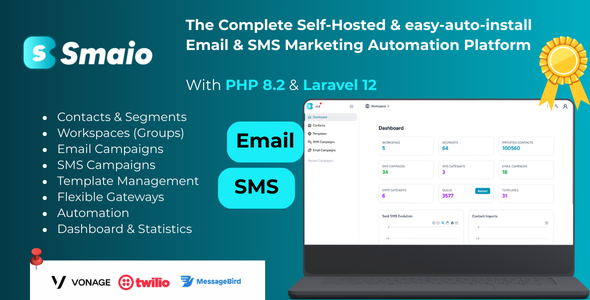
Smaio – Self-Hosted Email Marketing Platform
35 $
Description
SMAIO – The Complete Self-Hosted Email & SMS Marketing Automation Platform
SMAIO is a lightweight, fast, and user-friendly self-hosted marketing platform designed for businesses, agencies, and creators who want full control over their Email and SMS campaigns — without monthly fees.
With its intuitive dashboard, visual campaign builder, automated workflows, and real-time analytics, SMAIO helps you launch high-converting marketing campaigns in minutes.
🚀 Why Choose SMAIO?
- Self-Hosted Control – Your data, your privacy, your infrastructure.
- No Monthly Fees – Pay once and send unlimited campaigns forever.
- Easy to Install – Works even on shared hosting.
- Fast, Modern UI – Clean design, smooth interactions, mobile responsive.
- Secure & Scalable – Enterprise-grade architecture ready for any workload.
📦 What You Get
- Full source code
- Installation wizard
- Documentation
- Editable email templates
🌐 Live Demo
Username : admin@gmail.com
Password : 12345678
💡 Perfect For
- Agencies
- Marketing teams
- Entrepreneurs
- SaaS builders
- Developers
- SMS & email service providers
Start sending unlimited emails and SMS today — with SMAIO, everything is under your control.
Features
⚡ Key Features
- Unlimited Email & SMS Campaigns – No limits, no extra billing.
- Visual Installation Wizard – Fully guided, no technical skills required.
- Full Contacts Management – Import, segment, filter and organize your audiences with ease.
- Powerful Campaign Builder – Create beautiful newsletters and promotional messages.
- SMS Broadcast System – Send bulk text messages through your preferred SMS provider.
- Email Marketing System – SMTP-based, compatible with any provider.
- Automated Workflows – Trigger campaigns based on user behavior and time.
- Pre-built Templates – Professionally designed and ready to customize.
- Real-Time Analytics – Opens, clicks, delivery tracking, and engagement insights.
- Team Management – Add staff and manage permissions.
- High Performance – Built on Laravel 11 with optimized caching.
Requirements
Prerequisites
Before you begin, make sure your server has the following. The exact required PHP version is specified in the `composer.json` file at the root of the project.
- Web server (Apache, Nginx)
- PHP >= 8.1
- Database (MySQL, MariaDB, PostgreSQL)
- Composer (for PHP dependency management)
- Node.js and npm (only if you are installing via Git clone)
Instructions
Installation Steps
The installation of Smaio is designed to be simple thanks to a visual installer that guides you through each step. You don’t have any complex command lines to execute.
- Step 1: Put the files on the serverYou have two options:
- Folder Upload (simple): Upload the complete Smaio folder to your server via an FTP client (like FileZilla) or your host’s file manager.
- Git Clone (advanced): If you are a developer, you can clone the repository, then run `composer install –no-dev` and `npm install && npm run build` to prepare the files.
- Step 2: Configure the web serverPoint the root of your domain name (or subdomain) to the `/public` directory of the Smaio application. This is a crucial step for the application to work correctly.
- Step 3: Launch the visual installerOpen your browser and go to the URL you just configured. You will be automatically redirected to the installation wizard. The wizard will ask you to:
- Check the server prerequisites.
- Enter your database information.
- Create your administrator account.###/ul/li###
- Step 4: Configure the Cron Job (Crucial)For Smaio to be able to send your campaigns and import your contacts in the background, you must configure a Cron job on your server. This task must run **every minute**. Add the following line to your Cron configuration (via cPanel, Plesk, or the `crontab -e` command):
* * * * * cd /home/guru228/web/smaio.kovio.pro/public_html && php artisan schedule:run >> /dev/null 2>&1###/code/li###
Reviews
There are no reviews yet.